For years, Flutter developers wrestling with biometric authentication have bumped up against the same wall: local_auth. It’s the foundational brick, the authenticate() command. But beyond that? You were on your own, tasked with building out session timeouts, route guards, widget-level protections, background/foreground lifecycle handling, and reactive UI updates. It was a piecemeal approach, often leading to clunky implementations and more than a few late nights. Think of it like trying to build a high-tech security system using only a single deadbolt and a flashlight. Functional, yes, but hardly state-of-the-art.
A Unified Front Against Insecurity
This is where biometric_guard swoops in, not just as another library, but as a fundamental platform shift for securing Flutter apps. It’s the seasoned architect who looks at your scattered bricks and blueprints and says, “Hold on, we can do this so much better.” This package promises to weave together the disparate threads of biometric security and session management into a cohesive, developer-friendly mix. It’s the difference between a bunch of tools lying in a toolbox and a perfectly calibrated, integrated security suite.
What does this mean for you? It means less boilerplate, fewer potential security holes from custom implementations, and a much cleaner codebase. It’s about moving from a DIY approach to an enterprise-grade solution, right out of the box.
Beyond Simple Authentication
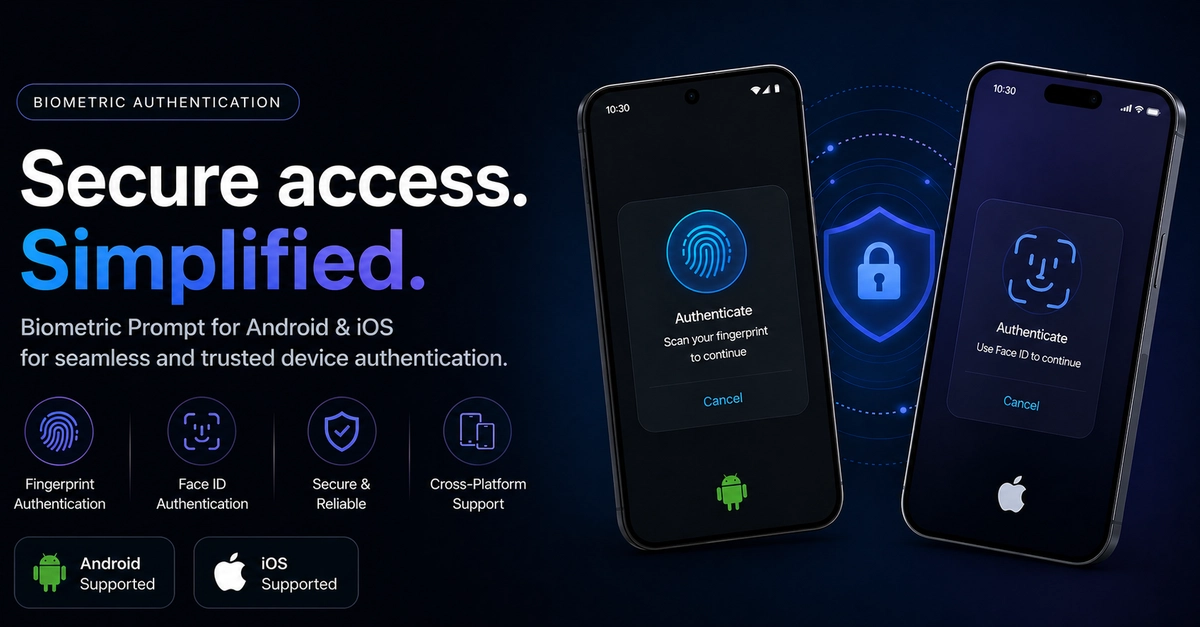
biometric_guard isn’t just about asking for a fingerprint. It’s about building a secure experience. Session timeout handling? Check. Route protection that slams the door shut on unauthorized access? Check. Widget-level guards that ensure sensitive components remain hidden until verified? Absolutely. And that background/foreground lifecycle juggle? Handled. The package offers a BiometricGuard widget for component-level protection and BiometricRoute for guarding entire navigation paths.
biometric_guardbrings all of these features together in one clean and easy-to-use API.
This is a massive leap. Instead of developers having to reinvent the wheel for every new app or feature requiring biometric security, they can now use a mature, tested solution. It’s like moving from manual car windows to power windows – it just makes life infinitely easier and the result, frankly, is just better.
The Devil (and the Details) in the Setup
Getting biometric_guard up and running requires a few steps, but they’re well-documented and straightforward. Adding it to your pubspec.yaml is the easy part. The slightly more involved, but crucial, steps involve modifying your MainActivity.kt to extend FlutterFragmentActivity (a common pattern for richer Flutter integrations), adding necessary permissions to your AndroidManifest.xml (USE_BIOMETRIC, USE_FINGERPRINT), and ensuring your build.gradle and Info.plist are configured for the appropriate minimum SDK versions and Face ID usage descriptions.
These aren’t arbitrary hoops to jump through; they’re the technical underpinnings that allow Flutter’s platform channels to communicate effectively with the native biometric APIs on Android and iOS. It’s the necessary plumbing that enables the magic.
Intuitive APIs for Complex Tasks
Where biometric_guard truly shines is in its API design. The BiometricSessionManager.instance.authenticate() method is your primary gateway, accepting an AuthIntent that smartly contextualizes the prompt for the user. Whether it’s for a secure login, a payment, or a custom scenario, the package handles the nuances.
The AuthResult object is a revelation, providing clear, strongly typed outcomes: isSuccess, isCanceled, isLockedOut, along with a descriptive message. No more ambiguous return codes!
For UI integration, SessionStateBuilder and SessionLockIndicator offer reactive and declarative ways to reflect the session’s state. You can easily display icons or loading spinners based on whether the session is active, expired, authenticating, or has failed. This reactive approach keeps your UI in sync with the security state without complex state management hacks.
A Bold Prediction: The New Standard
Here’s my unique take: biometric_guard isn’t just going to be a good option for Flutter biometric authentication; it’s poised to become the standard. The sheer amount of functionality it bundles — session management, route guards, reactive UI — into one cohesive package tackles pain points that have plagued Flutter developers for years. Companies that have been hesitant to implement strong biometric security due to the development overhead will find biometric_guard an irresistible proposition. This is the kind of platform-level innovation that can truly accelerate development and improve the quality and security of the apps we use every day. We’re witnessing the birth of a de facto standard for secure Flutter applications.
🧬 Related Insights
- Read more: Reddit Data Reveals Women’s Watch Trends
- Read more: Linux 7.0 Flips the Switch: ASUS Armoury Crate Powers Up Three Beastly Gaming Laptops
Frequently Asked Questions
What does biometric_guard actually do?
biometric_guard is a Flutter package that provides comprehensive biometric authentication capabilities along with integrated session management, route protection, and reactive UI handling for both Android and iOS applications.
Will this replace the local_auth package?
biometric_guard builds upon the foundational capabilities of local_auth but offers a higher-level abstraction that includes features like session timeouts, route guards, and reactive UI state management, which are not directly provided by local_auth.
Is biometric_guard difficult to set up?
The setup involves adding the package, some minor native code modifications (like changing MainActivity inheritance), and updating permissions and configurations in your Android and iOS project files. While it requires more than a simple pub get, the steps are clearly outlined and address essential platform integrations.