Observability is the ability to understand what is happening inside your systems by examining their outputs. In modern distributed architectures with dozens or hundreds of services, observability is not optional. It is the difference between diagnosing a production incident in minutes versus hours.
The open source ecosystem offers a mature, production-tested observability stack that rivals or exceeds commercial offerings. This guide covers the three pillars of observability, metrics, logs, and traces, and shows how Prometheus, Grafana, and OpenTelemetry work together to provide comprehensive visibility into your systems.
The Three Pillars of Observability
Metrics
Metrics are numeric measurements collected at regular intervals. Examples include request rate, error rate, response latency, CPU utilization, and memory usage. Metrics are efficient to store and query because they are aggregated numbers rather than individual events. They answer questions like "what is the 99th percentile latency of my API?" and "how many errors occurred in the last hour?"
Logs
Logs are discrete, timestamped records of events. A log entry might record an HTTP request, a database query, an error, or any significant event. Logs provide detailed context about individual events but are expensive to store and query at scale. They answer questions like "why did this specific request fail?" and "what happened at 3:42 AM?"
Traces
Distributed traces follow a single request as it flows through multiple services. Each service adds a "span" to the trace, recording what happened, how long it took, and any errors. Traces answer questions like "why is this request slow?" and "which downstream service is causing timeouts?"
Prometheus: Metrics Collection and Storage
Prometheus is the de facto standard for metrics in the cloud-native ecosystem. Originally developed at SoundCloud and donated to the Cloud Native Computing Foundation (CNCF), Prometheus is now the second most popular CNCF project after Kubernetes.
How Prometheus Works
Prometheus uses a pull-based model. Instead of services pushing metrics to a central collector, Prometheus periodically scrapes HTTP endpoints exposed by your services. Each service exposes a /metrics endpoint that returns current metric values in a simple text format.
Metric Types
- Counter: A monotonically increasing value, like the total number of requests processed. Counters only go up (and reset to zero on restart).
- Gauge: A value that can go up or down, like current memory usage or active connections.
- Histogram: Samples observations and counts them in configurable buckets, enabling percentile calculations. Use histograms for request duration and response sizes.
- Summary: Similar to histograms but calculates percentiles on the client side. Generally less flexible than histograms.
PromQL
PromQL is Prometheus's query language, and it is one of the most powerful aspects of the system. It allows you to slice, dice, aggregate, and transform metric data with precision.
For example, to calculate the per-second rate of HTTP requests over the last 5 minutes, grouped by status code: rate(http_requests_total[5m]) gives you the request rate, and adding labels like {status=~"5.."} filters to server errors only.
Alerting with Alertmanager
Prometheus includes Alertmanager for handling alerts. You define alerting rules in Prometheus that fire when specific conditions are met (e.g., error rate exceeds 1% for 5 minutes). Alertmanager receives these alerts and handles deduplication, grouping, silencing, and routing to notification channels like Slack, PagerDuty, or email.
Grafana: Visualization and Dashboards
Grafana is the leading open source platform for metrics visualization. While Prometheus stores and queries metrics, Grafana turns those queries into meaningful dashboards that teams use for monitoring and incident response.
Key Capabilities
- Multi-source dashboards: A single Grafana dashboard can pull data from Prometheus, Elasticsearch, PostgreSQL, CloudWatch, and dozens of other data sources simultaneously.
- Template variables: Dashboards can include dropdown filters for environment, service, region, and other dimensions, making a single dashboard useful across your entire infrastructure.
- Alerting: Grafana has its own alerting engine that can complement or replace Alertmanager, with support for multi-condition alerts and notification channels.
- Annotations: Mark deployments, incidents, and other events on your graphs to correlate changes with metric behavior.
Dashboard Best Practices
- Use the RED method for services: Track Rate (requests per second), Errors (failed requests per second), and Duration (request latency distribution).
- Use the USE method for resources: Track Utilization (percent busy), Saturation (queue depth), and Errors for each resource (CPU, memory, disk, network).
- Keep dashboards focused: One dashboard per service or concern. Avoid mega-dashboards that try to show everything.
- Set meaningful thresholds: Use Grafana's threshold coloring to make it instantly obvious when metrics are in warning or critical ranges.
OpenTelemetry: Unified Instrumentation
OpenTelemetry (OTel) is a CNCF project that provides a single set of APIs, SDKs, and tools for generating metrics, logs, and traces. It is the merger of two earlier projects, OpenTracing and OpenCensus, and has become the industry standard for application instrumentation.
Why OpenTelemetry Matters
Before OpenTelemetry, instrumenting your application meant choosing a specific vendor's SDK. If you used Datadog's SDK for tracing, switching to Jaeger required rewriting all your instrumentation code. OpenTelemetry solves this by providing a vendor-neutral instrumentation layer. You instrument your code once with OpenTelemetry, and then export data to any compatible backend: Prometheus, Jaeger, Zipkin, Datadog, or any other observability platform.
Core Components
- API: Defines the interfaces for creating spans, metrics, and log records. The API is stable and safe to depend on.
- SDK: Implements the API with configurable exporters, samplers, and processors. The SDK handles batching, retry, and export of telemetry data.
- Collector: A standalone service that receives, processes, and exports telemetry data. The Collector can run as a sidecar, a daemon, or a gateway, and supports transformations, filtering, and routing of telemetry data.
- Auto-instrumentation: Many languages offer automatic instrumentation that captures telemetry from common libraries (HTTP frameworks, database drivers, message queues) without requiring code changes.
Putting It All Together
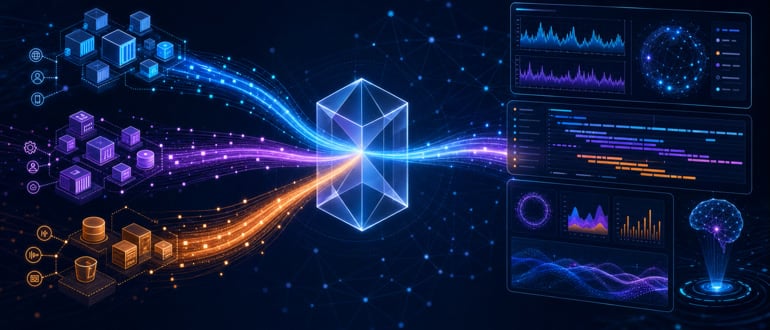
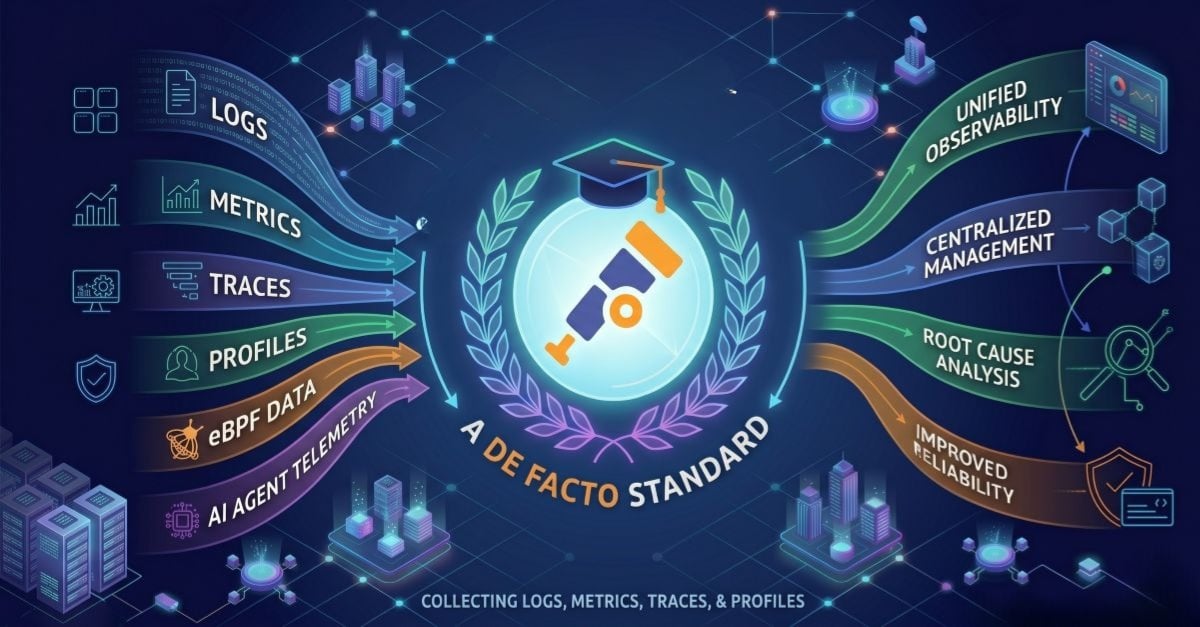
A production observability stack typically combines these tools as follows. Your applications are instrumented with OpenTelemetry SDKs that generate metrics, traces, and logs. The OpenTelemetry Collector receives this telemetry data, processes it, and exports it to the appropriate backends. Prometheus stores metrics and evaluates alerting rules. A tracing backend like Jaeger or Tempo stores distributed traces. A log aggregation system like Loki stores logs. Grafana provides a unified interface for querying and visualizing all three data types.
Scaling Considerations
- Prometheus federation: For large deployments, use hierarchical Prometheus servers where leaf servers scrape individual services and a global server scrapes the leaf servers.
- Remote storage: For long-term retention, configure Prometheus to write to a remote storage backend like Thanos, Cortex, or Mimir.
- Sampling: At high traffic volumes, trace every request is prohibitively expensive. Use head-based or tail-based sampling to capture a representative subset of traces while ensuring that errors and slow requests are always captured.
The open source observability stack is mature, well-documented, and battle-tested at scale by some of the largest technology companies in the world. For teams that want full control over their observability data without vendor lock-in, it remains the best option available.