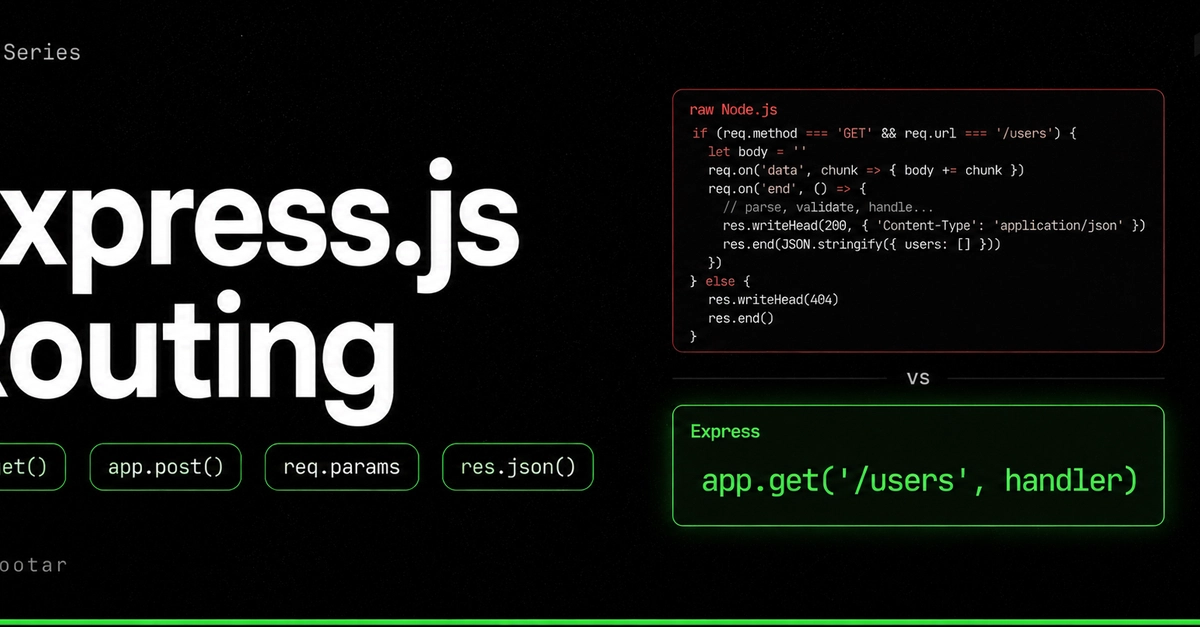
Forget wrestling with raw Node.js; the era of clunky if-else statements for handling web requests is officially over. For anyone building with Node.js, this news about Express.js isn’t just about a framework; it’s about a fundamental shift in how we interact with the digital world, how we build the invisible scaffolding that powers our apps, and how easily that scaffolding can be understood and manipulated.
Think of it like this: Before Express, building a web server in Node.js was akin to trying to conduct a symphony with just a single violin. You could make music, sure, but the complexity, the sheer effort required to coordinate all the different parts, was immense. You were constantly manually stitching together every note, every tempo change, every instrumental cue. Now, with Express, it’s like gaining access to a full orchestra and a seasoned conductor. The complex orchestration of incoming requests, the precise timing of responses, the harmonious integration of different functions – it all becomes… simpler. Easier.
Why has Express become the absolute undisputed champion for Node.js web development? It’s not just about making things ‘easier’ in a fluffy, marketing sense. It’s about tangible, developer-time-saving efficiency.
The Boilerplate Problem Solved
Let’s face it, the raw Node.js approach to HTTP servers is… a bit like assembling IKEA furniture without instructions. You get the basic pieces, but figuring out how to connect them logically as your application grows turns into a tangled mess of conditional logic. Take a look at this:
const http = require('http');
const server = http.createServer((req, res) => {
  if (req.method === 'GET' && req.url === '/users') {
    res.writeHead(200, { 'Content-Type': 'application/json' });
    res.end(JSON.stringify([{ id: 1, name: 'Satya' }]));
  } else if (req.method === 'GET' && req.url.startsWith('/users/')) {
    const id = req.url.split('/')[2];
    res.writeHead(200, { 'Content-Type': 'application/json' });
    res.end(JSON.stringify({ id, name: 'Satya' }));
  } else if (req.method === 'POST' && req.url === '/users') {
    let body = '';
    req.on('data', chunk => body += chunk);
    req.on('end', () => {
      const user = JSON.parse(body);
      res.writeHead(201, { 'Content-Type': 'application/json' });
      res.end(JSON.stringify(user));
    });
  } else {
    res.writeHead(404);
    res.end('Not found');
  }
});
server.listen(3000);
This works, no doubt. But imagine scaling this. Adding more routes, more methods, more complex data handling – it would quickly become an unmanageable beast of nested if-else statements, manual header crafting, and the dreaded manual body parsing. It’s the digital equivalent of trying to build a skyscraper with a hammer and nails.
Now, contrast that with the Express way:
const express = require('express');
const app = express();
app.use(express.json());

app.get('/users', (req, res) => {
  res.json([{ id: 1, name: 'Satya' }]);
});

app.get('/users/:id', (req, res) => {
  const id = req.params.id;
  res.json({ id, name: 'Satya' });
});

app.post('/users', (req, res) => {
  const user = req.body;
  res.status(201).json(user);
});

app.listen(3000);
See the difference? It’s not just less code; it’s fundamentally clearer code. Express abstracts away the raw, gritty details, letting you focus on the what not the how.
Express’s Magic Ingredients
What makes this Express version so much more elegant? Several key features, each acting like a specialized tool:
- Clean Routing: You declare routes directly, mapping HTTP verbs and URL patterns to functions. No more wading through
req.urlandreq.methodchecks. It’s declarative and direct. - Automatic Body Parsing: That
express.json()middleware? It’s like a pre-built component that understands JSON, so the request body magically appears as a JavaScript object inreq.body. No manual parsing needed. - Eloquent Response Helpers:
res.json()is a magician. It handles setting theContent-Typeheader toapplication/jsonand stringifies your JavaScript object into JSON. Simple, effective. - Route Parameters: URLs like
/users/:idare no longer string-splitting nightmares. Express elegantly extracts:idand places it directly intoreq.paramsfor your immediate use. - Middleware Power: The ability to chain functions (like logging, authentication, or validation) before a route handler is where Express truly shines for complex applications. It’s like adding specialized quality control checkpoints along your request pipeline.
Express is essentially the master architect that takes the raw materials of Node.js and crafts them into a beautiful, functional building, ready for you to furnish with your application’s unique logic. It removes the clutter, the unnecessary complexity, so you can get to the interesting stuff.
Building From Scratch with Express
Let’s get our hands dirty. Starting a new project and bringing Express into the fold is as straightforward as it gets.
First, initialize your project and install Express:
npm init -y
npm install express
Then, create a server.js file (or whatever you prefer):
const express = require('express');
const app = express();
const PORT = 3000;

app.get('/', (req, res) => {
  res.send('Hello from Express!');
});

app.listen(PORT, () => {
  console.log(`Server is running on http://localhost:${PORT}`);
});
Run node server.js, fire up your browser to http://localhost:3000, and you’re greeted. This is the absolute bedrock of an Express application.
Crafting Your Routes: GET Requests
GET requests are your primary tool for retrieving data. Express makes this remarkably intuitive. You want a simple greeting? Easy.
app.get('/hello', (req, res) => {
  res.send('Hello World');
});
Need to fetch a specific user by their ID? Express handles URL parameters with grace.
app.get('/users/:id', (req, res) => {
  const userId = req.params.id;
  res.send(`User ID: ${userId}`);
});
A request to /users/42 will now neatly return User ID: 42. The :id segment is automatically parsed and made available in req.params.
What about search queries or pagination? Express has your back with query parameters.
app.get('/search', (req, res) => {
  const query = req.query.q;
  const page = req.query.page || 1;
  res.json({ query, page });
});
Send a request to /search?q=express&page=2, and you’ll receive { "query": "express", "page": "2" }. No manual parsing of the query string!
For API endpoints serving JSON data, res.json() is your best friend. It ensures the correct Content-Type header and automatically stringifies your JavaScript objects.
app.get('/api/users', (req, res) => {
  const users = [
    { id: 1, name: 'Satya' },
    { id: 2, name: 'Priya' }
  ];
  res.json(users);
});
Handling Data Creation with POST Requests
POST requests are typically used to create new resources on your server. To effectively process the data sent in the body of a POST request, you need that middleware we touched on earlier.
By incorporating app.use(express.json()); at the beginning of your server setup, you enable Express to automatically parse incoming JSON request bodies. This means that any data sent in the body of a POST request will be readily available in the req.body property of your route handler.
Consider this example for creating a new user:
app.post('/users', (req, res) => {
  const newUser = req.body;
  // Here you would typically save newUser to a database
  console.log('Creating new user:', newUser);
  res.status(201).json(newUser);
});
When a POST request is sent to /users with a JSON payload like { "name": "Alice", "email": "[email protected]" }, req.body will directly contain this object. You can then use it to interact with your database or perform other necessary actions. The res.status(201).json(newUser) line sets the HTTP status code to 201 Created and sends the newly created user object back as a JSON response. It’s a clean, efficient way to handle resource creation.
This ability to easily define routes for different HTTP methods (GET, POST, PUT, DELETE, etc.) and access request data (req.params, req.query, req.body) through a consistent, developer-friendly API is precisely why Express has become the bedrock of so many Node.js applications. It’s not just a framework; it’s a crucial piece of infrastructure for the modern web.
Is Express.js Still the Best Choice for Node.js APIs?
In a landscape where new frameworks and tools emerge with dizzying speed, the question is valid: does Express.js still hold its ground? The answer is a resounding yes. While alternatives like Fastify or Koa offer their own unique advantages and performance boosts, Express’s sheer ubiquity, extensive community support, and the vast ecosystem of middleware built around it make it an incredibly safe and productive choice. For most projects, the learning curve is minimal, and the ability to use countless existing solutions means you can build complex applications faster. It’s the battle-tested workhorse that continues to power a significant portion of the internet.
🧬 Related Insights
- Read more: Kasetto Cleans Up AI Agent Mess with Rust-Powered Declarative Magic
- Read more: GitLab’s File Tree Browser Ends the Endless Back-Button Grind in Repos
Frequently Asked Questions
What is Express.js used for? Express.js is a minimal and flexible web application framework for Node.js, primarily used for building web servers, APIs, and handling HTTP requests and responses. It simplifies tasks like routing, middleware integration, and request/response management.
How does Express.js handle different HTTP requests?
Express.js uses methods like app.get(), app.post(), app.put(), and app.delete() to define routes that respond to specific HTTP methods and URL paths. It also allows for dynamic route parameters (e.g., /users/:id) and query parameters (e.g., /search?q=keyword).
Is Express.js difficult to learn? Express.js is generally considered to have a low barrier to entry, especially for developers already familiar with JavaScript and Node.js. Its design is straightforward, and many tutorials and extensive documentation are available, making it relatively easy to learn and start building applications quickly.